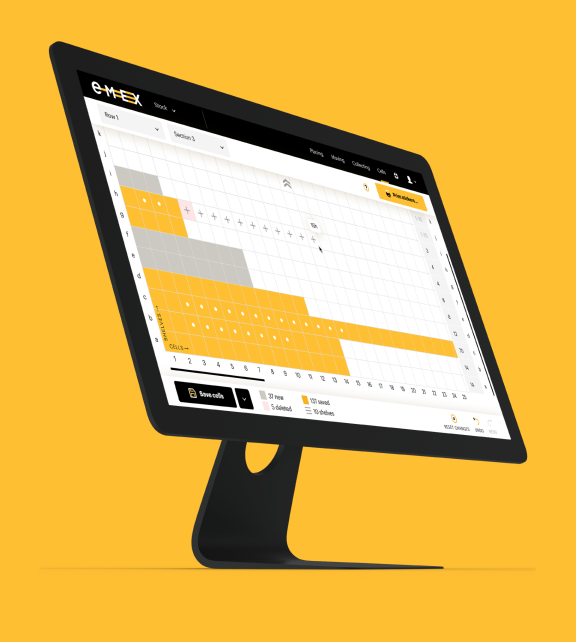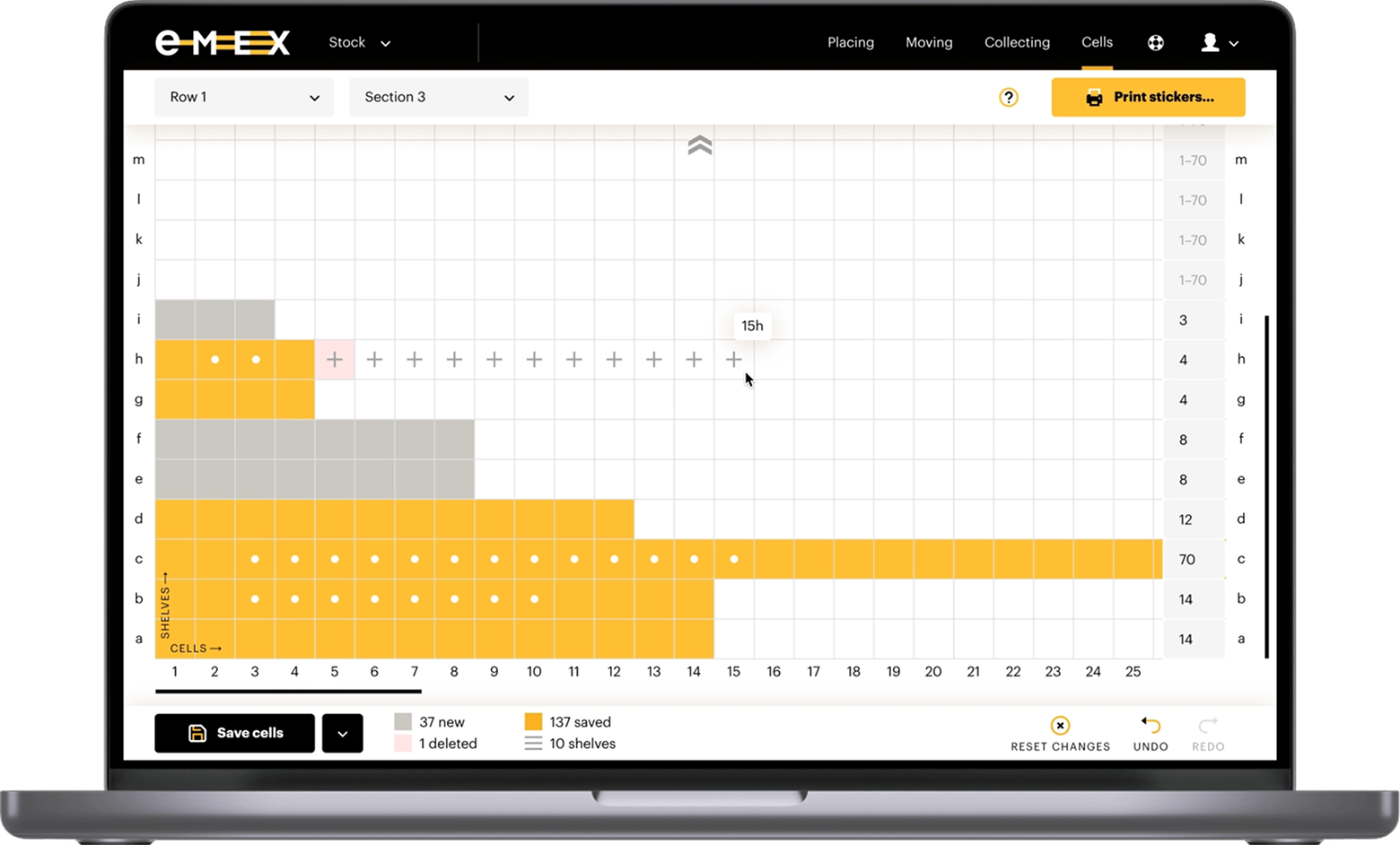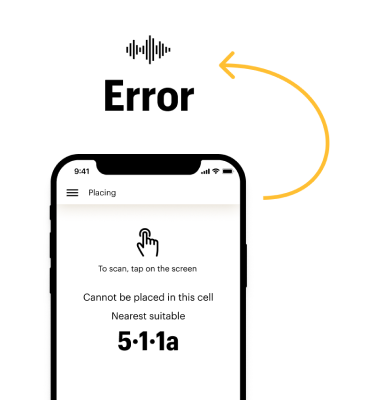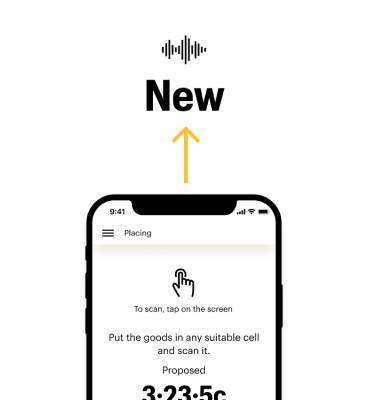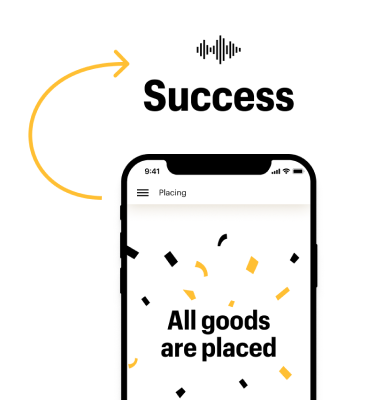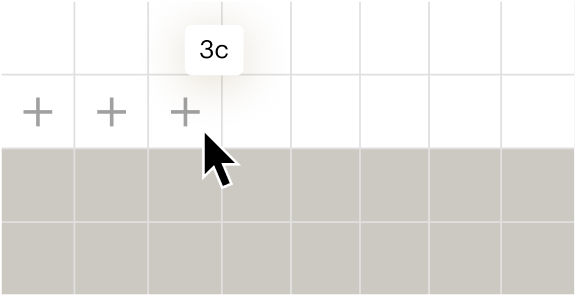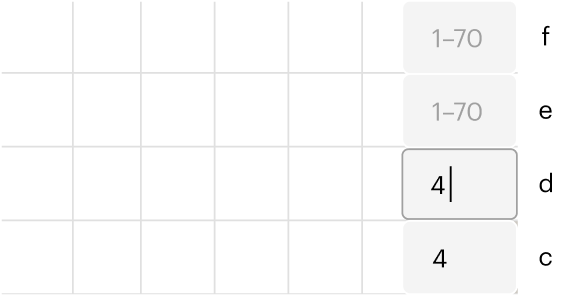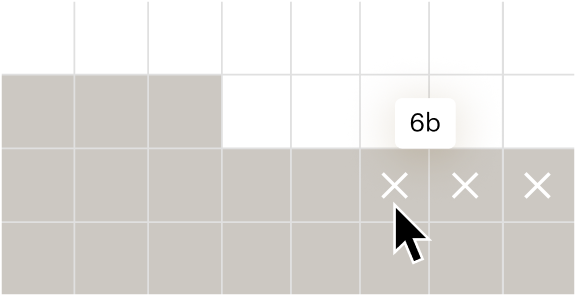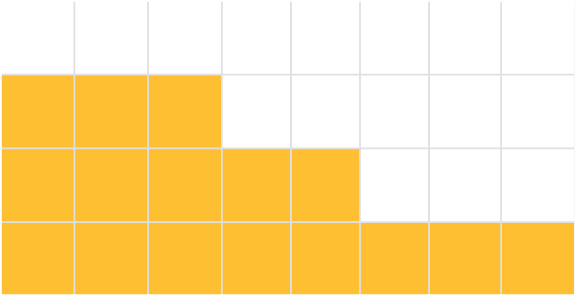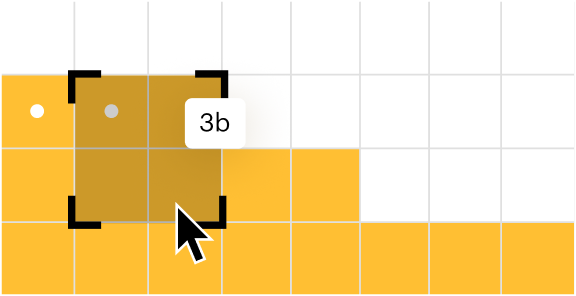
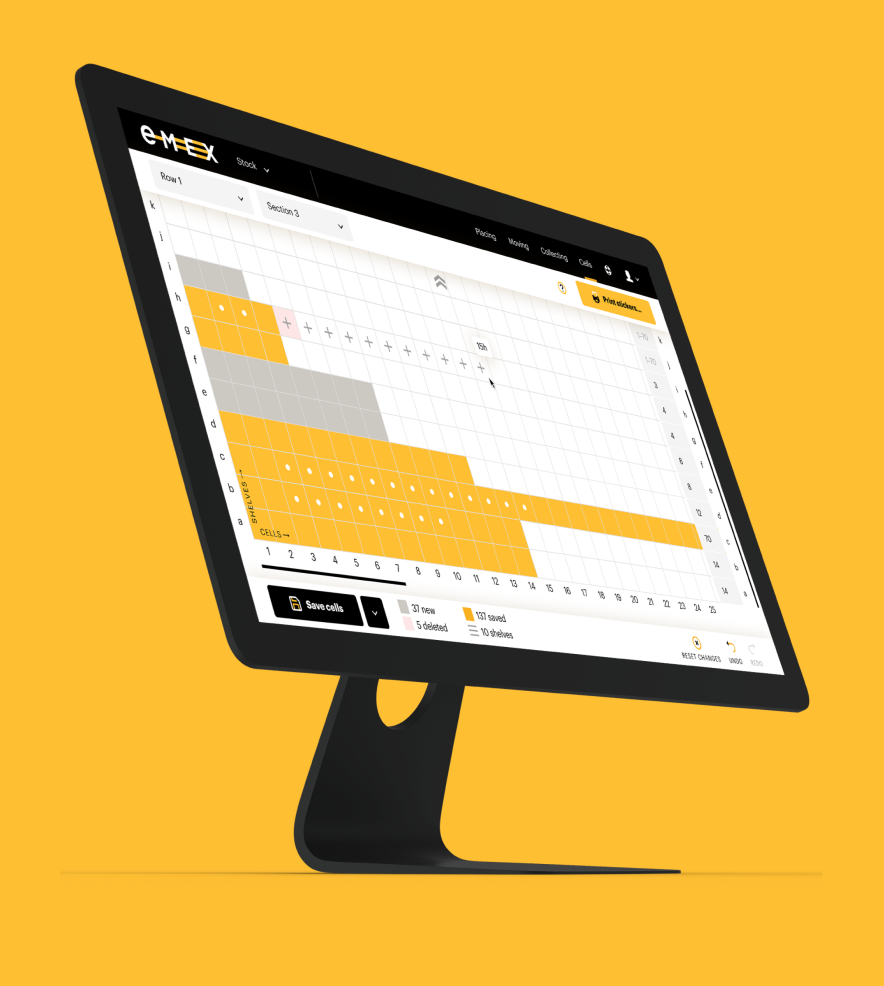
Flexible cell editing supporting both one-off and bulk updates to the warehouse structure. This optimization ensures efficiency: clicking on specific cells is faster for minor adjustments, while using the input field is more convenient for large-scale changes.
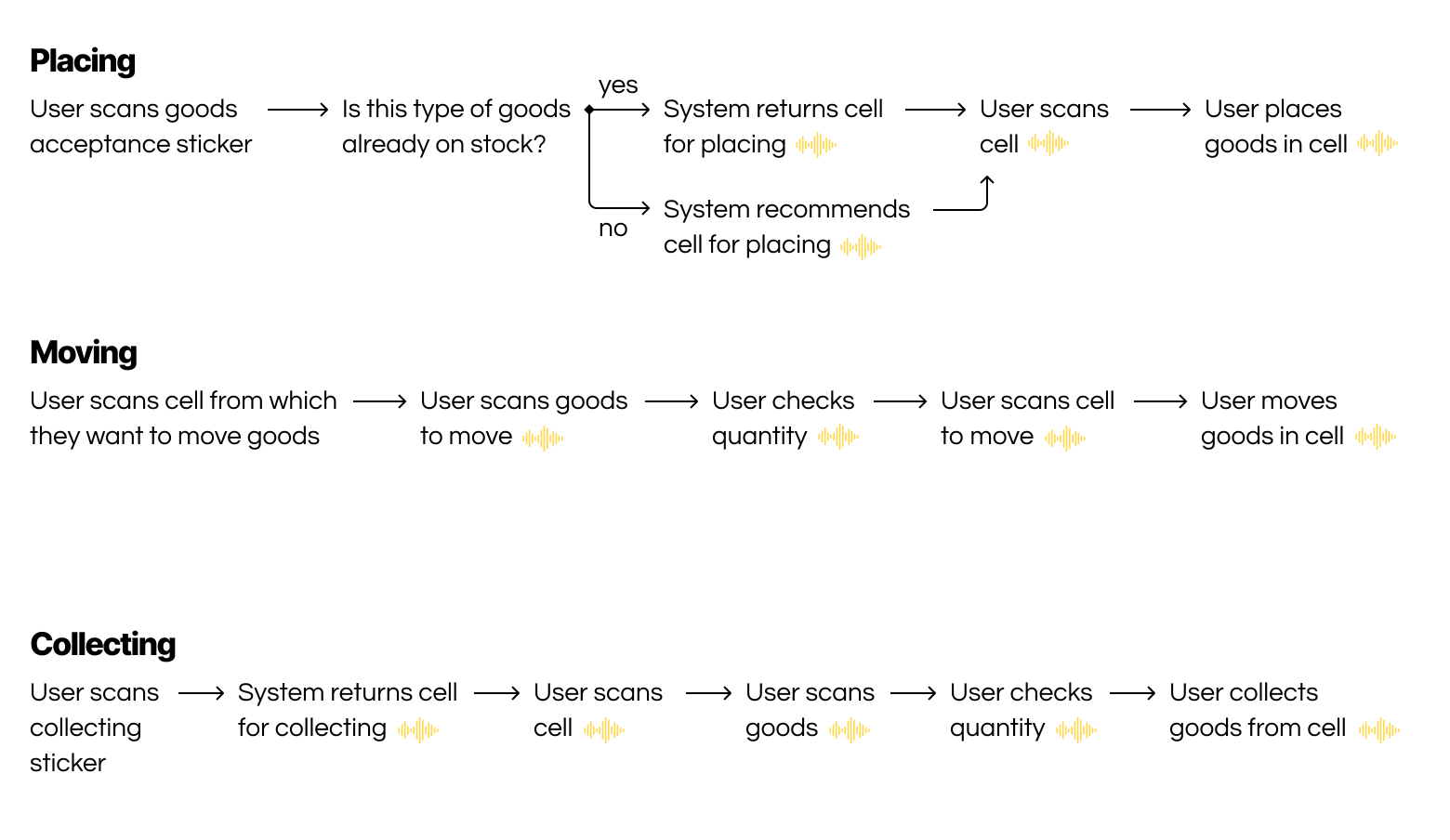
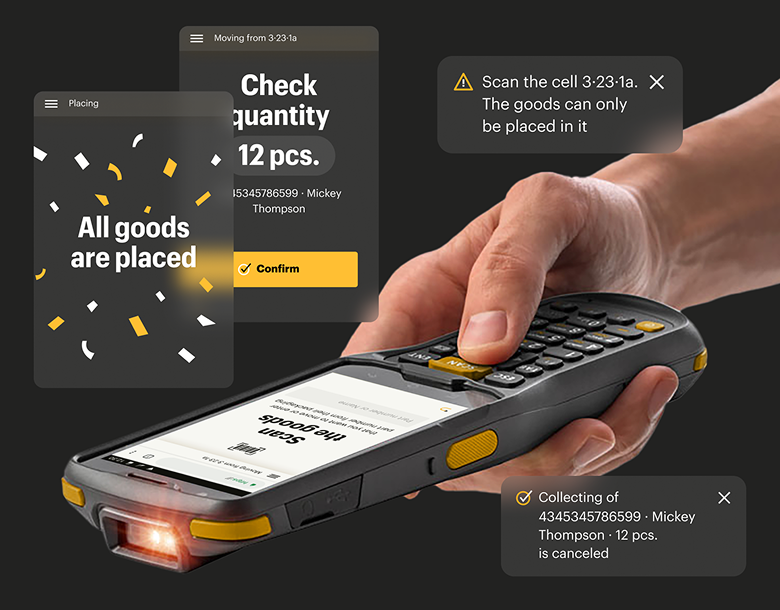
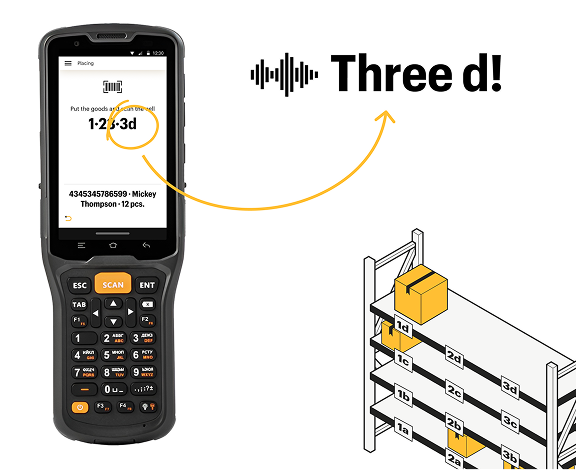
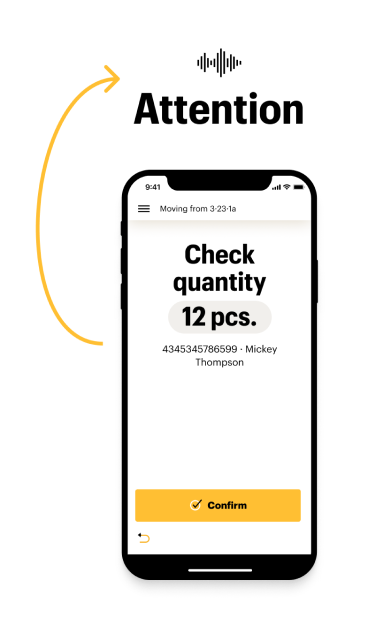
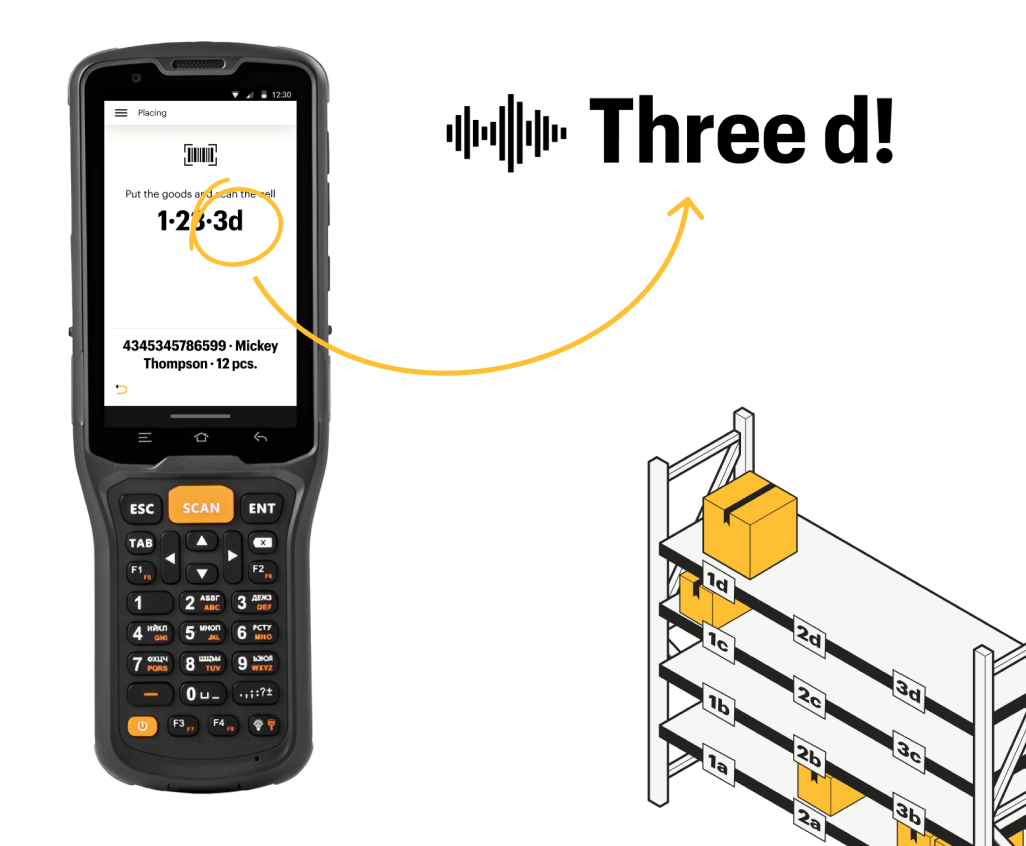
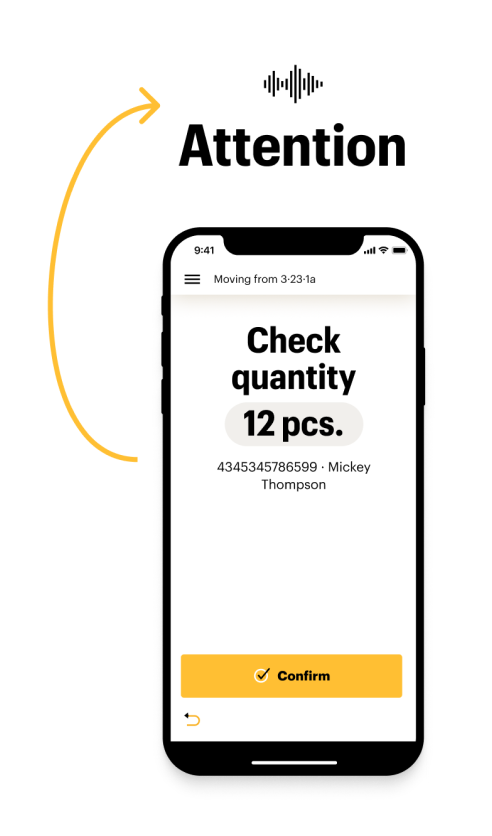
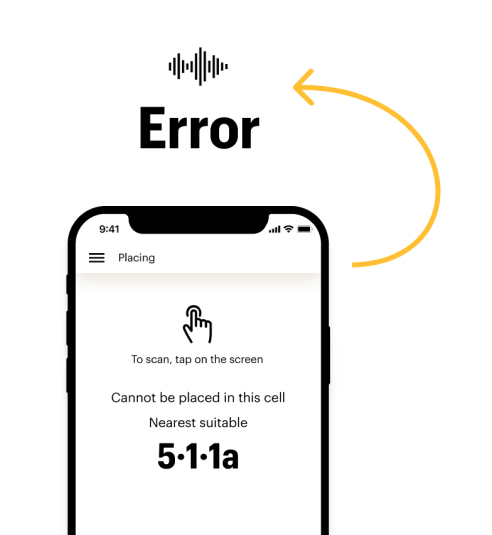
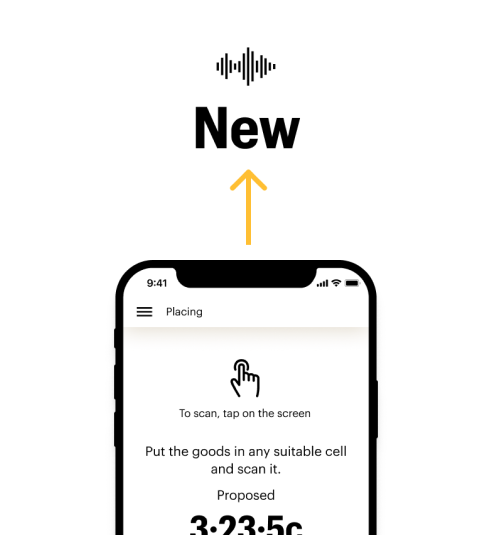
Clear and distinct audio feedback was added to user flow (indicated by the wave icon ).
It was specifically designed to be effective in a noisy warehouse environment allowing users to work faster by reducing the need for looking at the screen
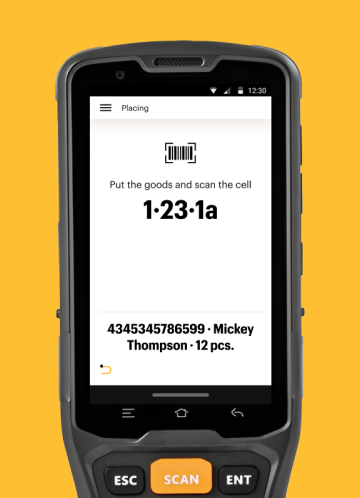
Only the most crucial information is displayed in large size for easy visual scanning, accounting for the small screen size and arm's length usage context.
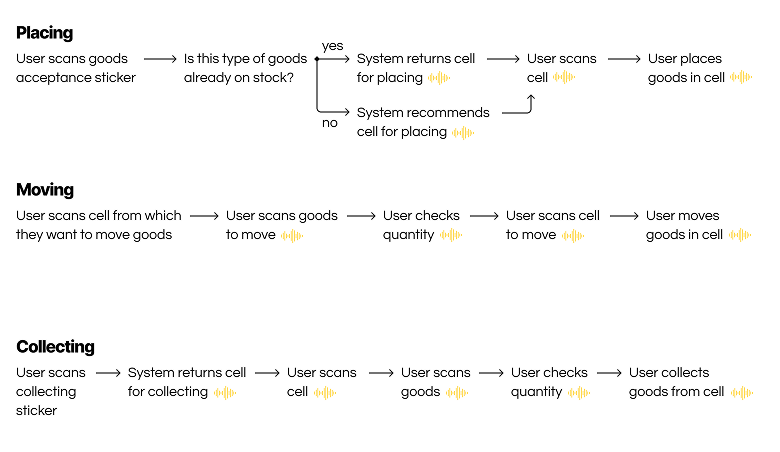
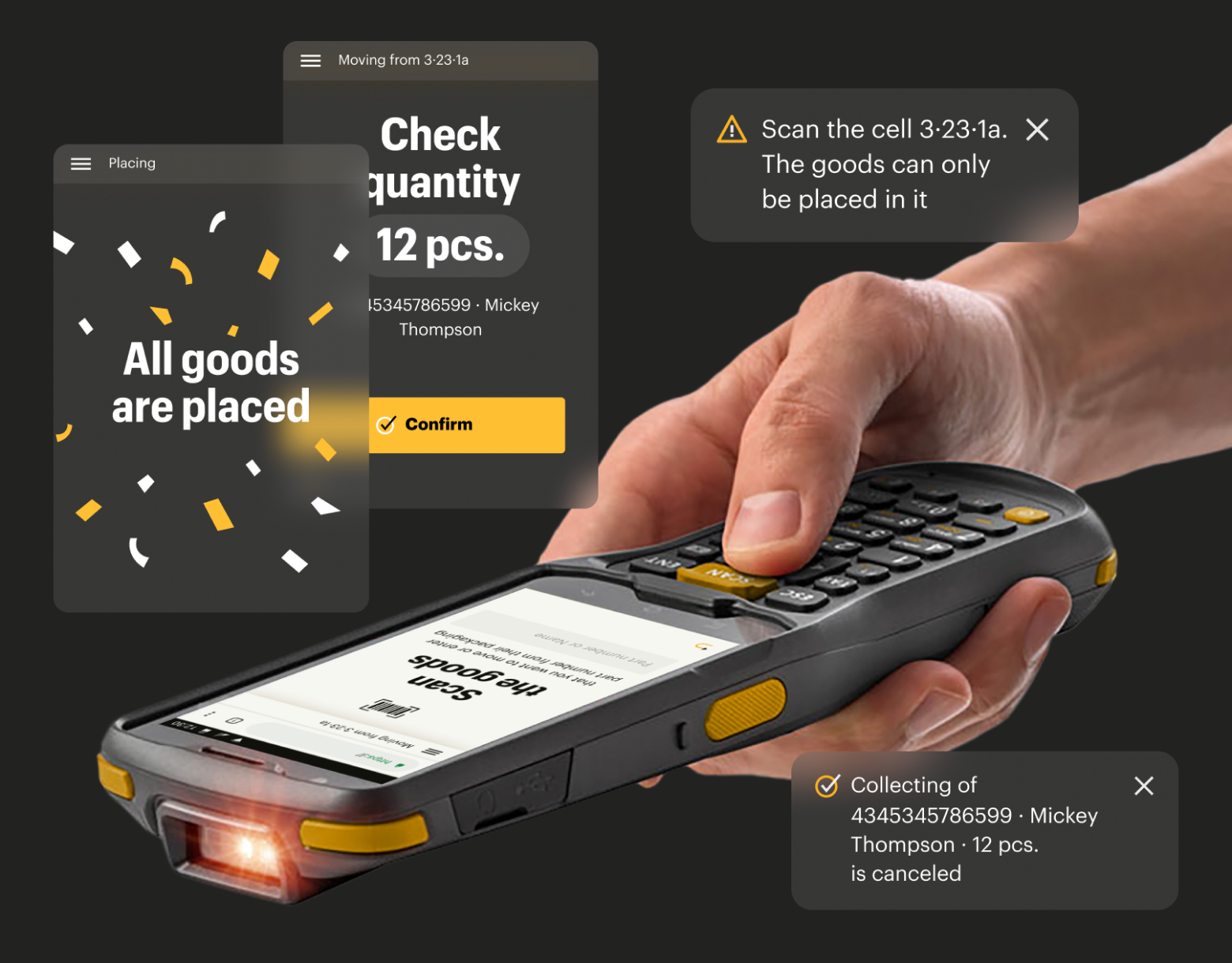
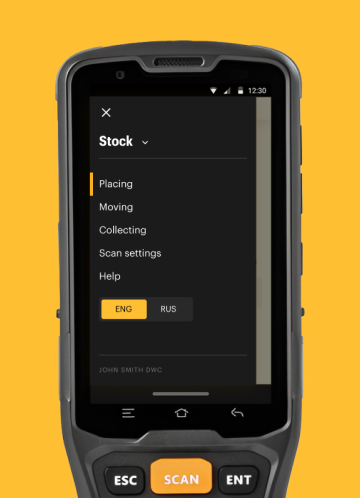
Streamlined user flows for rapid user adoption and productive work with minimal training
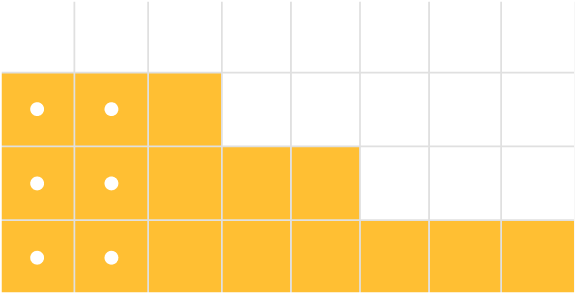
Clear visual data representation that mirrors the physical environment.
This is crucial because typical warehouse structures are often extensive and complex.
Emex is one of the largest marketplaces for auto parts in Russia. The company's sorting centers constantly store 12—13k types of goods.
To improve delivery time, the company decided to overstock the most popular goods and store them in their sorting centers in the special stock zone.
The existing warehouse management system didn’t have the ability to work with overstock.
1 - The interface for creating a warehouse structure was developed to enable the new stock management system to work with any warehouse within the Emex chain
🎯 Target User: Stock Manager
💻 Device: PC
2 - The interface for working with stock goods in a warehouse was developed
🎯 Target User: Stock Operator
📱Device: Handheld Terminal or Smartphone
I worked on this project as the sole Product Designer, reporting to a Design Director and collaborating with a cross-functional team that included a Product Manager, Product Owner, backend and frontend engineers, and a QA specialist.
1. Discovery
2. Defining the solution
3. Design
4. Testing
5. Finalization and handoff
- Collected business requirements from the Stakeholder to understand the problems our product needed to solve
- Conducted in-depth interviews with warehouse workers to identify user needs
- Compiled research results into core features and functionalities for the MVP
- Developed detailed user flows with User Stories
- Designing the first iteration of interfaces using the existing product design system
- Finalized designs, adding edge cases and essential developer notes
- Compiled research results into core features and functionalities for the MVP
- Developed detailed user flows with User Stories
EMEX.
Interfaces for Warehouse Stock Management
Problem
My Role
Solution
1 - Interface for Stock Manager
2 - Interface for Stock Operator
Process

Logistics

Web Service

Internal UI

B2B

Desktop

Mobile

User Research

UX/UI Design

Prototyping

User Testing

Handoff
Web Service providing the capability for:
1. Creating and modifying the storage structure to synchronize it with the Emex chain WMS and implement it physically in the warehouse, specifically by creating or deleting:
a. sections (racks)
b. rows (rows of racks)
c. shelves
d. cells on shelves
2. Generating and printing cell number labels. This function allows the manager to label the shelves, enabling the operator to quickly navigate the warehouse while performing stock operations.
MVP for Stock Operator:
1. Dedicated physical warehouse area for storing overstock. To accelerate implementation and rollout, we established the rule of single-SKU storage per cell (mixed cells for storing multiple SKUs were postponed to future iterations).
2. A Web Service providing basic stock management capabilities:
a. Placing the goods received from suppliers into stock storage
b. Moving the goods within the stock for storage area optimization
c. Collecting the goods for shipment to the recipient
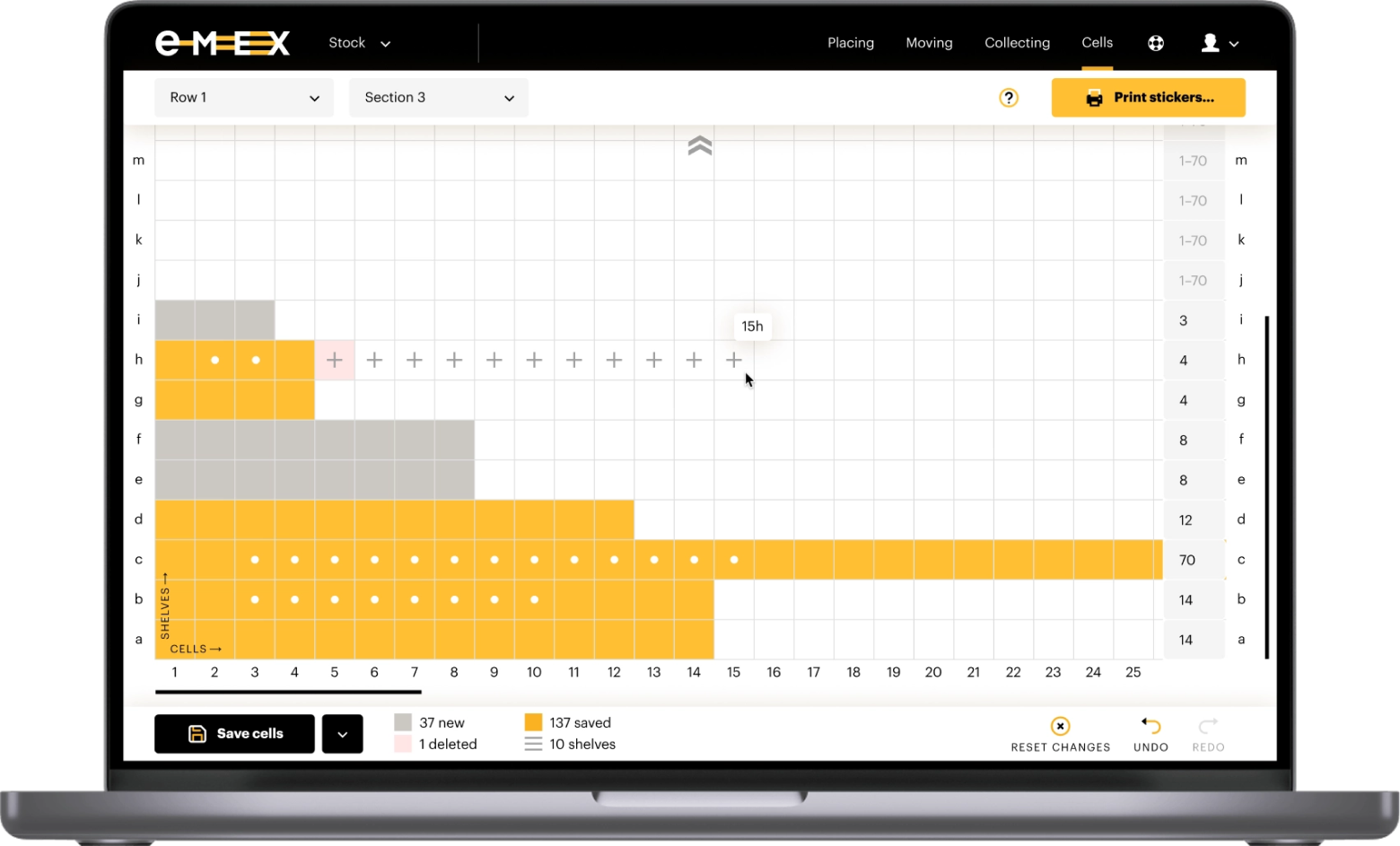
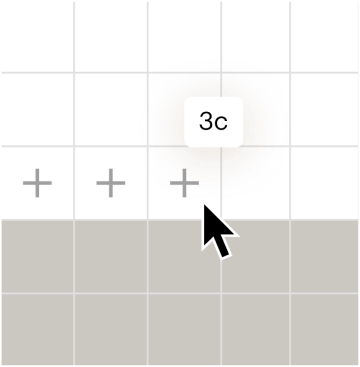
Creating cells
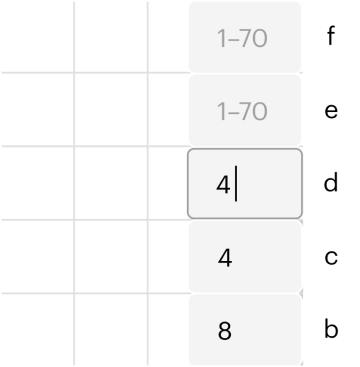
Bulk cell creation via input field
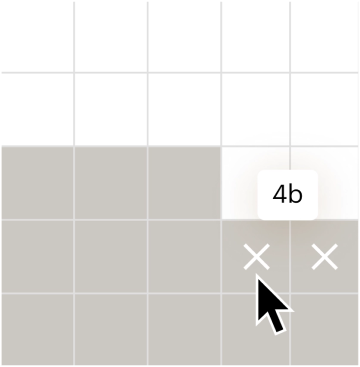
Deleting unsaved cells
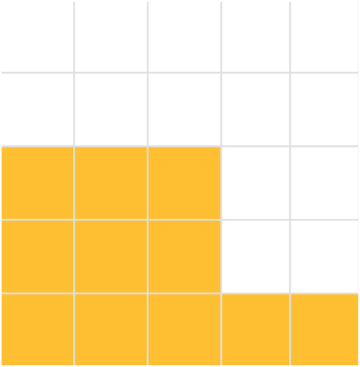
Saved cells indicated by yellow
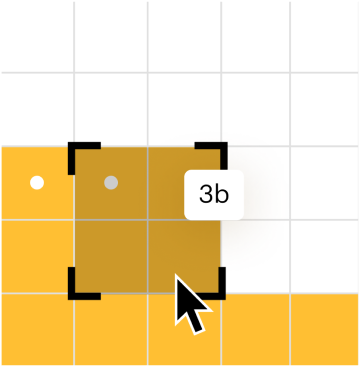
Selecting cells for label printing
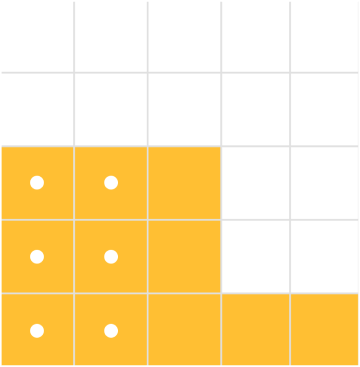
Occupied cells indicated by dots
User flows
= The goods must be placed in cell 1·23·3d
= The goods cannot be placed in the selected cell
= The goods can be placed in any empty cell
= All goods placed. Work complete!
= Check the quantity on the screen






Result
New Web Services launched to enable modernized business processes
Automated storage management for
2
12k SKU’s

Next project

SEO

Web Service

SaaS